
Encrypted RCS Messaging, Maps Overhaul, a New Pride Wallpaper, and What’s Still Missing
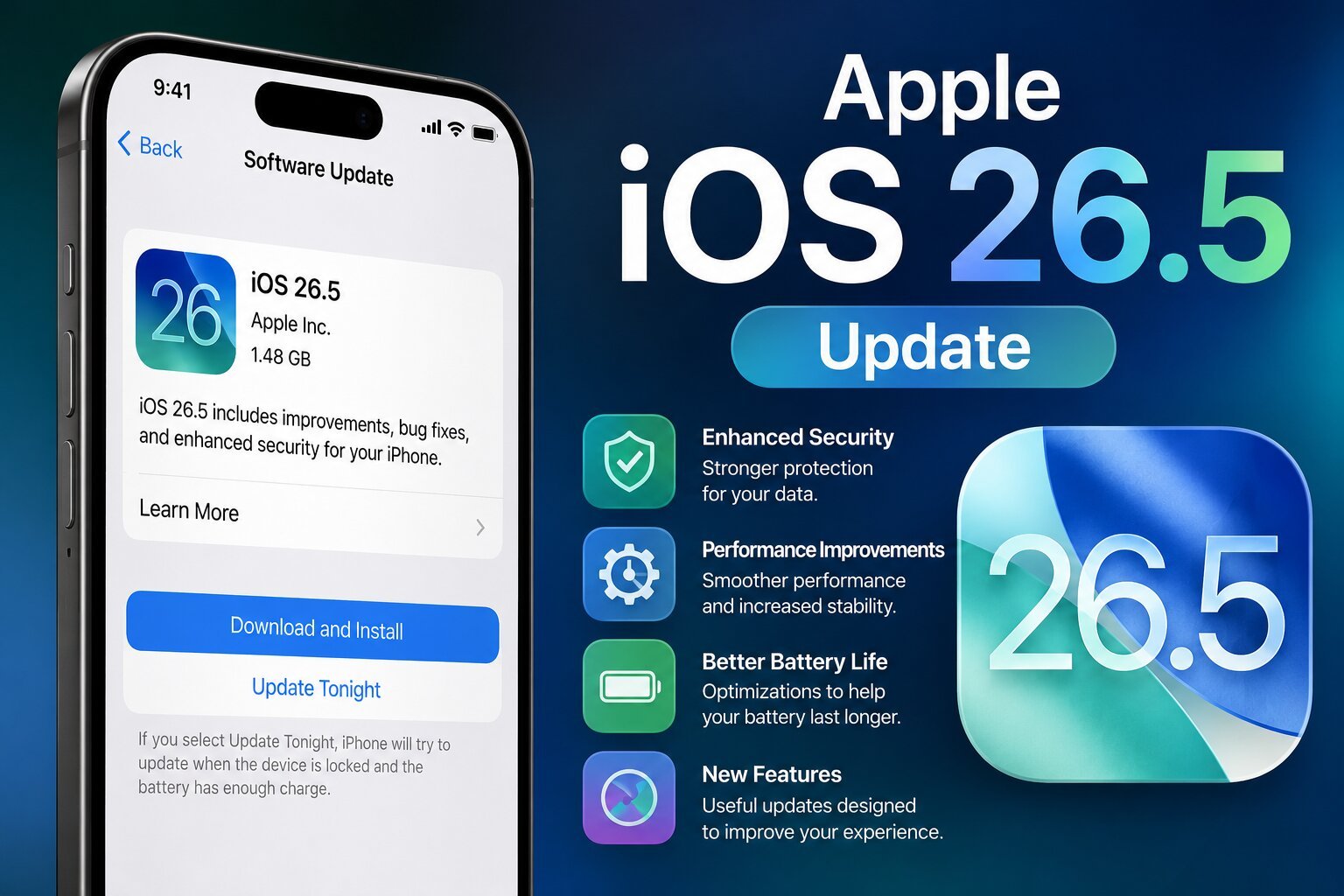
Apple dropped iOS 26.5 on May 11, 2026 — and while it won’t blow the doors off anyone’s expectations, it carries a few changes that matter quite a bit. Released nearly two months after iOS 26.4, this update represents the final significant chapter in the iOS 26 story before Apple shifts its full attention to iOS 27, which is set to be unveiled at WWDC on June 8, 2026.
If you’ve been waiting for a big Siri upgrade, you’ll need to keep waiting. But if you care about messaging privacy, navigation improvements, and a handful of quality-of-life enhancements, iOS 26.5 delivers. Here is everything you need to know.
How to Get iOS 26.5
Updating is straightforward. Open Settings, tap General, then select Software Update. The update is available over-the-air on all eligible iPhones. Apple has also released iOS 15.8.8, iOS 16.7.16, iOS 18.7.9, and iPadOS 17.7.11 for older devices that cannot run iOS 26.
The Biggest Change: Encrypted RCS Messaging Between iPhone and Android
For years, one of the most frustrating limitations of cross-platform texting has been the lack of privacy. When an iPhone user sends a message to an Android user, it travels over RCS (Rich Communication Services) — the modern replacement for SMS — but without encryption. That means your carrier, and potentially anyone intercepting the signal, could read those messages. iMessages between iPhone users have been end-to-end encrypted since iOS 5, but Android conversations have been a glaring exception.
iOS 26.5 changes that. Apple has built support for RCS Universal Profile 3.0, which uses the Messaging Layer Security (MLS) protocol to bring end-to-end encryption to iPhone-to-Android conversations. The feature is launching in beta and will roll out progressively across supported carriers worldwide. For encryption to work, both the sender and the recipient must be on a carrier that supports the updated RCS standard — so it will not activate universally overnight.
When the feature is active, users will see a small lock icon appear in their RCS chat, mirroring the visual indicator already used in iMessage conversations. End-to-end encryption is turned on by default for supported conversations, and there is a toggle for it in Settings > Messages. The long-standing privacy gap between the green bubble and blue bubble worlds is beginning to close.
Apple Maps Gets Smarter — and Gets Ads
iOS 26.5 introduces two notable changes to Apple Maps that will affect how millions of users navigate their day.
Suggested Places is a new section in the Maps app that displays recommendations based on what is trending nearby and your recent search history. Think of it as a personalized discovery layer — if you have been searching for coffee shops or looking up restaurant hours, Maps will begin surfacing relevant nearby options proactively, without you having to search for them explicitly.
Ads in Apple Maps are also arriving with this update. Apple announced in March that localized advertisements would begin rolling out in the U.S. and Canada during the summer of 2026, and the groundwork is now live. Ads can appear at the top of search results based on relevance, as well as within the new Suggested Places experience. This is a significant shift for Apple Maps, which has historically been ad-free, and not everyone will welcome it. For users who want to minimize ad exposure, staying on iOS 26.4 would delay the feature temporarily — but the change is coming regardless.
A New Pride Luminance Wallpaper
Continuing its annual tradition, Apple is adding a new Pride-themed wallpaper to iPhones with iOS 26.5. The Pride Luminance wallpaper features a dynamic design that refracts a spectrum of colors, shifting its appearance as users interact with their device. It matches the Pride Luminance Apple Watch face and Apple Watch band that are also available, creating a unified aesthetic for those who want to celebrate Pride Month across their devices. Multiple variations are available for personalization.
Bluetooth Pairing for Magic Accessories Just Got Easier
A small but genuinely useful improvement comes in the form of smarter Bluetooth pairing for Apple’s Magic accessories — the Magic Mouse, Magic Keyboard, and Magic Trackpad. Previously, connecting these accessories to an iPhone via USB-C would establish a wired connection, but Bluetooth pairing still had to be done manually through Settings. With iOS 26.5, once you unplug the USB-C cable, the Bluetooth connection remains active automatically — no need to navigate into Settings to pair manually. This behavior already existed on Mac, and Apple has now extended it to iPhone and iPad.
App Store Subscriptions: New Payment Option
iOS 26.5 introduces a new billing flexibility for App Store subscriptions. Apps can now offer a 12-month commitment with monthly payment options — meaning developers can create subscription tiers where users commit to a full year but pay on a monthly schedule rather than a single upfront annual charge. This gives users more flexibility around cash flow while still allowing developers to lock in longer-term subscribers. The feature was announced in late April and goes live with this update.
Reminders Gets a Small Customization Boost
The Reminders app receives minor but welcome customization options in iOS 26.5. While Apple has not detailed every change, the update brings additional flexibility to how users can organize and personalize their reminders, continuing the incremental improvements Apple has made to the app over recent iOS releases.
EU Users: More Third-Party Device Support
In compliance with the European Union’s Digital Markets Act, Apple is expanding support for third-party devices in iOS 26.5 for EU users. This includes enabling features such as notifications, Live Activities, and simplified pairing for non-Apple smartwatches and headphones — bringing their integration with iPhone closer to the experience that has historically been reserved for Apple’s own hardware like Apple Watch and AirPods.
What Is Still Missing: The Siri Problem
It would be dishonest to discuss iOS 26.5 without addressing what is not in it. The update many iPhone users have been waiting for — a fundamentally overhauled Siri — is nowhere to be found. iOS 26.4 did not bring the long-overdue Siri improvements either: a new foundation model, on-screen awareness, personal context, and actions across apps have all been repeatedly teased but continue to be delayed.
According to Bloomberg reporting, Apple is working toward a redesigned Siri with a dedicated app, conversation history, and personal context features. There are also reports of a “Siri Extensions” system that would let users choose which AI model handles certain tasks, with Claude, Gemini, Grok, and ChatGPT reportedly among the candidate options. None of this arrives in iOS 26.5. Those improvements are being held for iOS 27, which Apple will formally introduce at WWDC on June 8, 2026, with a targeted fall release.
For now, iOS 26.5 is, as one tech outlet aptly put it, “a relatively minor release” — which is not a criticism so much as an accurate description of where Apple sits in its annual software cycle. The heavy lifting comes in September.
iOS 26: The Bigger Picture
For those who came to iOS 26 fresh, it is worth recapping what the operating system as a whole brought to iPhones. iOS 26 launched with a significant design overhaul called Liquid Glass — a visual language that made the Lock Screen, Home Screen, apps, navigation, and controls feel more expressive and layered. Apple Intelligence was integrated more deeply throughout the system, powering on-screen awareness features, Live Translation for cross-language communication, and expanded Shortcuts actions. Camera, Photos, Wallet, and CarPlay all received meaningful updates as well.
iOS 26.5 is the 26 family’s final act. With WWDC weeks away and iOS 27 on the horizon, Apple is clearly in transition — tidying up loose ends, delivering promised features, and building foundation layers for what comes next.
Should You Update?
For most users, yes — updating to iOS 26.5 is a straightforward decision. The encrypted RCS messaging feature is a genuine privacy improvement, especially for anyone who regularly texts Android users. The Bluetooth pairing fix is a small convenience win. And Apple’s security updates alone are typically reason enough to stay current.
If you are a heavy Apple Maps user who objects to seeing ads, you may want to be aware that the change is now live — though it cannot be avoided indefinitely.
For those holding out for a Siri overhaul or major new feature additions, iOS 26.5 will not satisfy. The next chapter starts on June 8 at WWDC. Until then, iOS 26.5 is what you have — and for a point update, it earns its keep.
iOS 26.5 is available now. To update: Settings > General > Software Update.